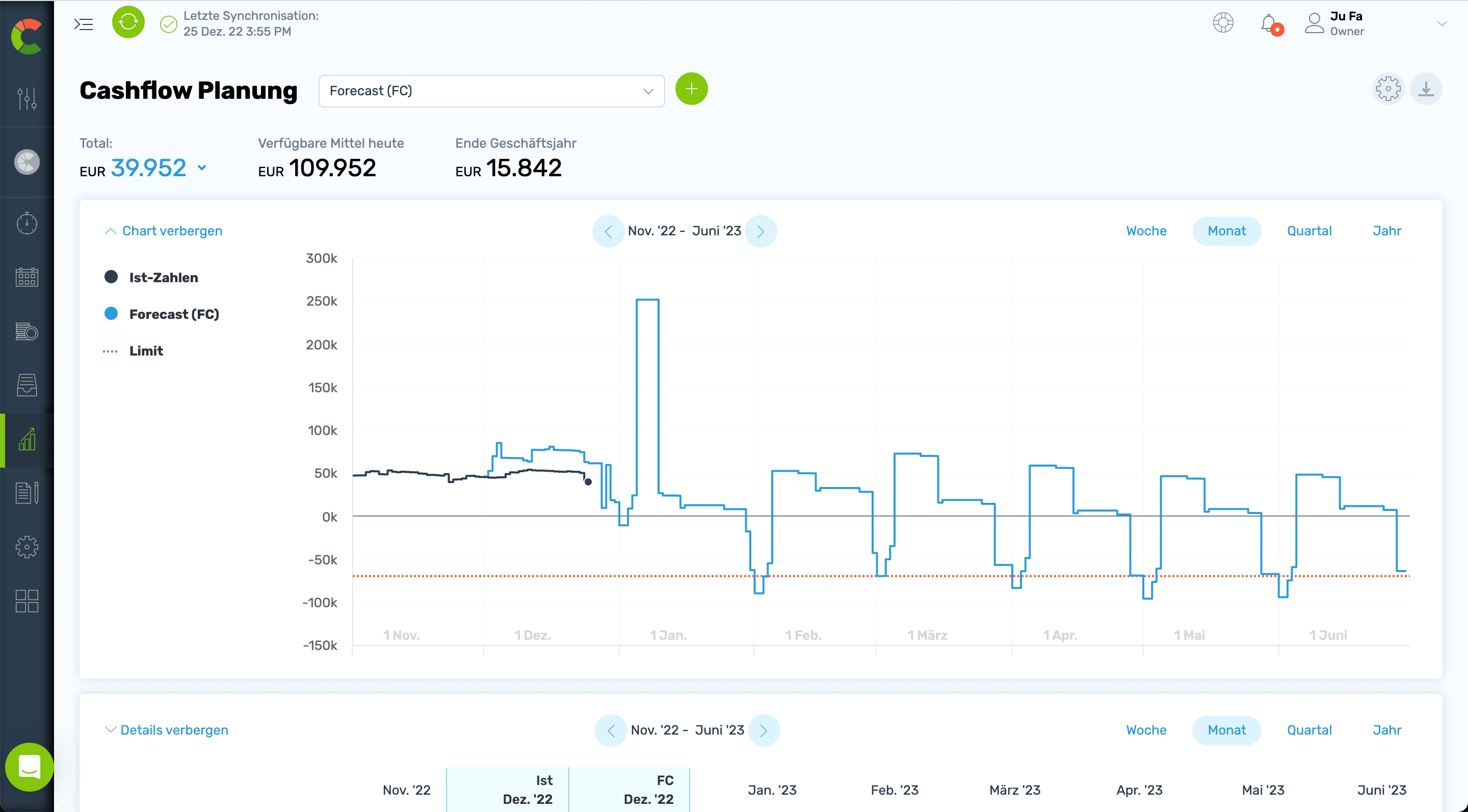
Überblick über Ihre Liquidität! Durch die Verknüpfung von COMMITLY mit Ihrem sevDesk Account werden automatisch Ihre Offenen Posten in die Liquiditätsplanung überführt.
COMMITLY & sevDesk
Automagische Liquiditätsplanung für Ihre Buchhaltung!
Sie schätzen die Zusammenarbeit mit Ihrem Steuerberater mit Hilfe von sevDesk? Vor allem die Entlastung bei Pendelordnern? Nur die Auswertungen vor allem für die Liquidität könnten schneller kommen?
Dann werden Sie COMMITLY lieben. Immer aktueller Überblick über die Liquidität! Wir stehen für einfach besseres Liquiditätsmanagement.
Offene Posten Überwachung
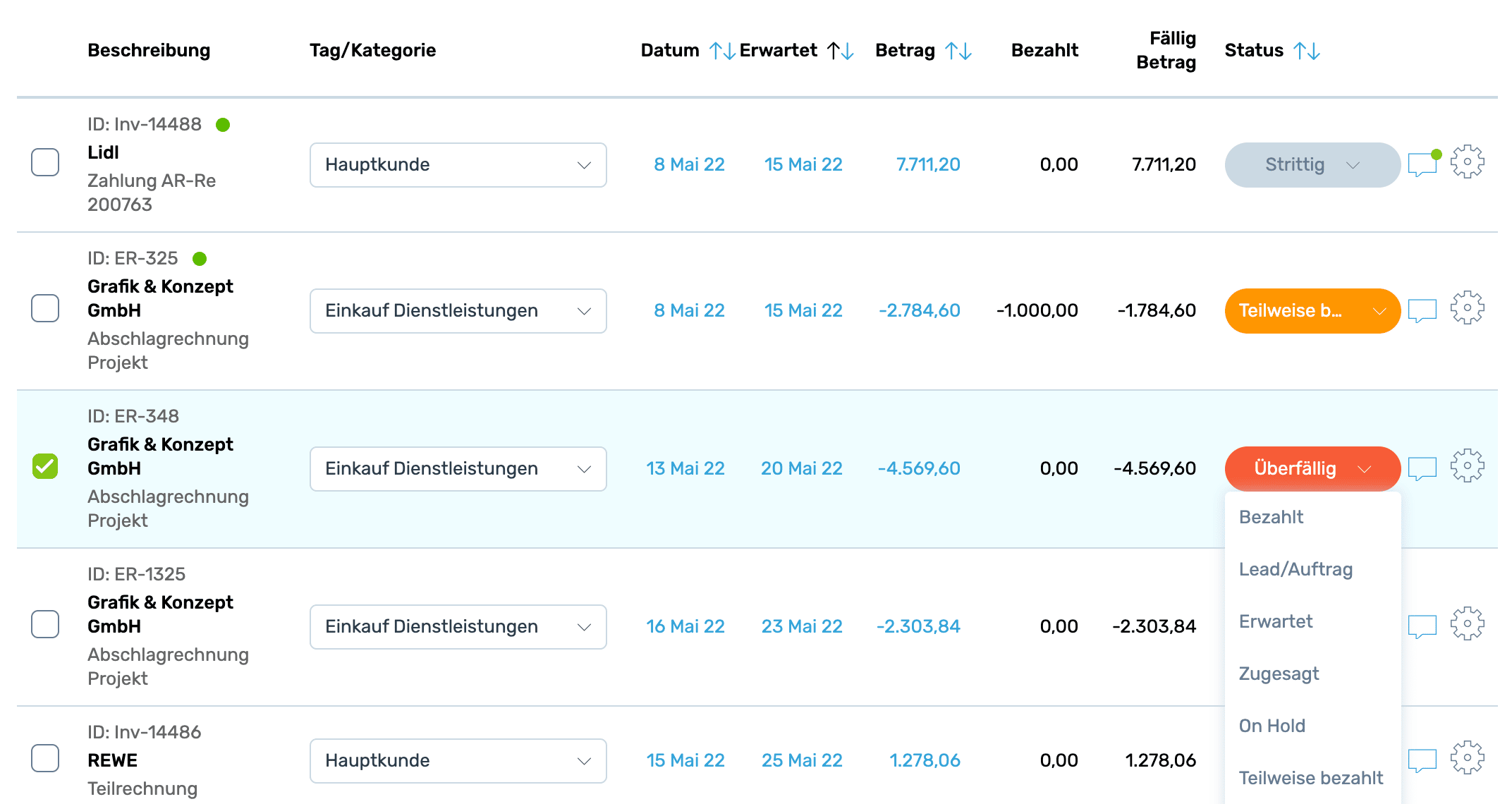
Die ausstehenden Zahlungen werden nach der Integration mit sevDesk in einer übersichtlichen Liste dargestellt. Überfällige Rechnungen werden automatisch erkannt und rot gekennzeichnet.
Der Status der Rechnungen wird zusätzlich farblich dargestellt und kann flexibel gehandhabt werden.
Durch die Verbindung mit sevDesk werden auf Knopfdruck alle noch nicht bezahlten Rechnungen per Schnittstelle in COMMITLY importiert.
Automatisch wird dadurch eine einfach lesbare Offene Posten Liste erstellt. In der Liste können den einzelnen Posten – egal ob Eingangs- oder Ausgangsrechnungen – verschiedene Status zugeordnet werden. Farbliche Hervorhebungen unterstützen die Lesbarkeit.
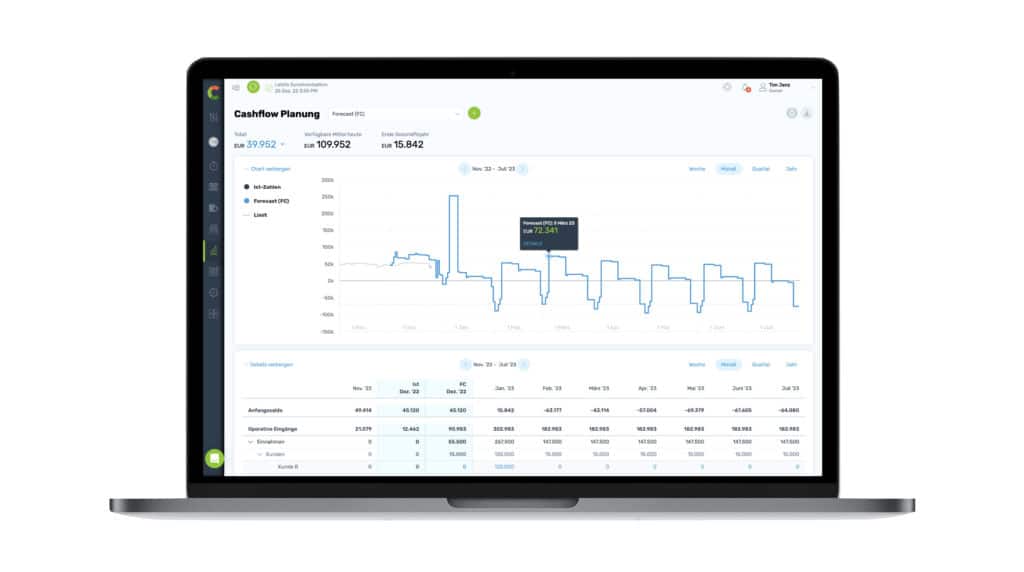
Natürlich werden die Offenen Posten entsprechend auch in der Liquditätsplanung berücksichtigt! Dadurch erhalten Sie einen sofortigen Überblick über ihre kurzfristige Liquiditätsentwicklung – tag-genau!
Im Menü „Offene Posten“ können Sie ab sofort durch Klick auf „sevDesk Rechnungen laden“ Ihren Account synchronisieren.
Liquiditätsplanung leicht gemacht - Alle Entscheidungen fest im Griff.
COMMITLY ist Ihr Software Tool für besseres Liquiditäts- und Cash Flow Management – entwickelt von Finanzexperten und Unternehmern, die wissen, worauf es bei der Cashflow und Liquiditätsplanung ankommt.