
Pleo integration
Your team's card spending sits in the plan before the statement.
Pleo gives your team company cards, COMMITLY plans the cash flow behind them. Connected, the card transactions sit in the plan before the collective statement arrives.
How your card spending reaches the cash flow
You connect Pleo to COMMITLY once. From then on your team’s card transactions arrive continuously, with amount, date and merchant.
The connection is an authorisation, not a file export. You sign in to Pleo once and give COMMITLY read access. From then on the sync runs in the background: new transactions keep arriving and the balance is kept current. You keep working in Pleo exactly as before — COMMITLY does not write anything back into it and does not trigger any payments.
What gets transferred
From Pleo the fields the plan needs arrive:
- Amount and currency of every single transaction.
- Booking date, the day the money actually moved.
- Counterparty or merchant, so it stays visible what was paid for.
- Reference and description, where available.
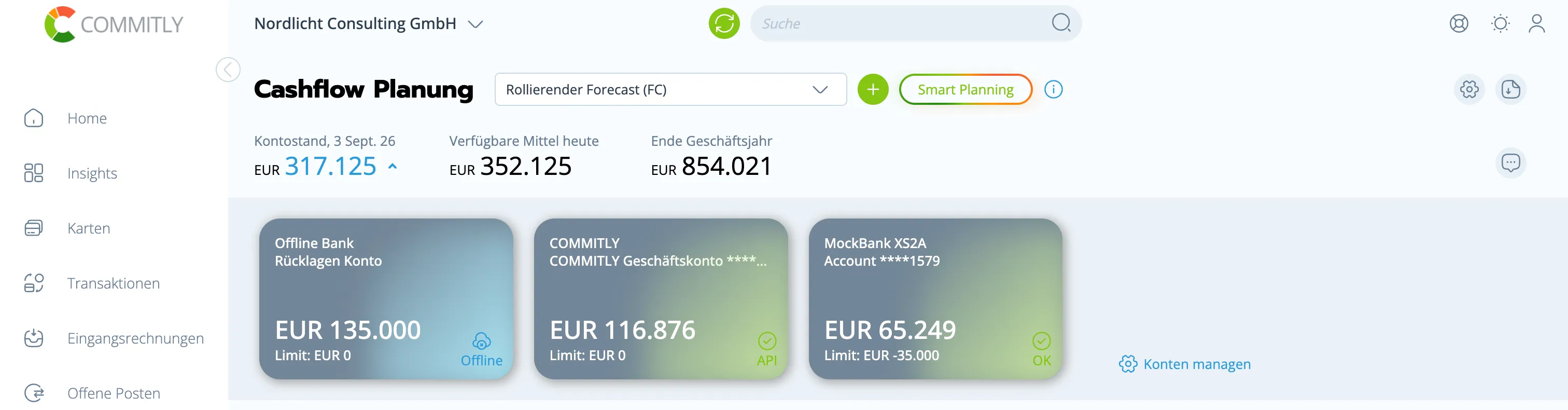
- Balance of the account, so the total across all accounts is right.
That makes Pleo behave like a bank account in the plan: its own balance, its own transactions, its own categories. Receipts, approvals and limits stay in Pleo.
What happens next
Every transaction gets a category. The AI suggests it, you approve it — and because COMMITLY learns from your own entries, the suggestion gets better with every approval. Recurring entries are recognised as a pattern and carried forward in the forecast.
Income and spending from Pleo therefore sit in the same structure as your bank transactions: the same categories, the same split into operating, investing and financing cash flow. You can open up a category and see the individual transactions behind it instead of just a total.
In the plan that is the difference between a number and a number you can account for: you see not only that an amount leaves, but what for.
Why this changes the plan
Money that does not sit in a bank account is missing from the plan — for exactly as long as it takes to show up there. If you take a meaningful share of your payments through Pleo and it is not connected, you are planning around part of your money.
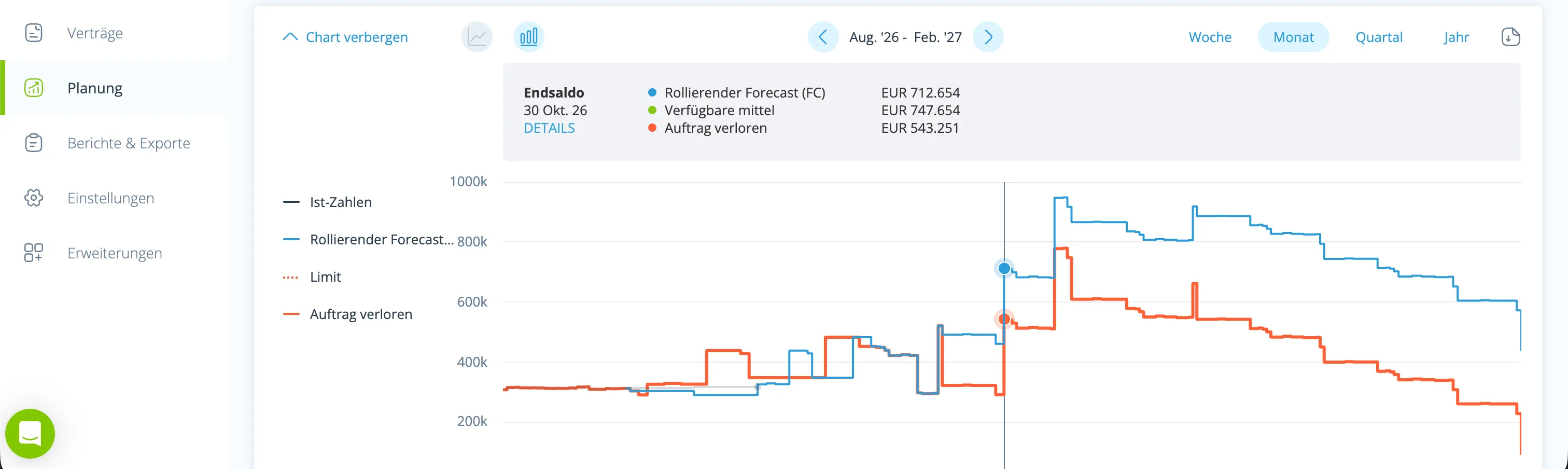
Connected, the balance from Pleo counts towards the total, and the transactions run into the same category structure as everything else. The forecast then works with what actually moves, not with what happens to be visible on the current account.
That is where a cash flow platform differs from a report: it does not show what happened, it shows what follows from it for the weeks ahead.
What you need for this
Access to Pleo that may read the data, and a COMMITLY account. You set the connection up once inside COMMITLY — no installation, no project, no consultant.
Realistically: the account is connected in minutes. Allow one to two hours for a first cash flow plan you can rely on, because you will go through the categories once. After that, around 15 minutes a week is enough.
COMMITLY is hosted in Germany and certified to ISO/IEC 27001:2022; a data processing agreement is available on request.
Who benefits most from this
Teams where many people are allowed to spend — marketing, sales, travel, software subscriptions. That is where the part of the cost base sits that regularly turns out larger than expected at month end. Connected, you see it continuously, split by category, instead of as one total.
Frequently asked questions
The connection runs automatically; new transactions arrive continuously. You do not export and you do not upload.
You might also like

Card transactions sit in the plan continuously, not only monthly.

Balance and transactions sit next to your bank accounts in the plan.

Card transactions sit in the cash flow plan with their date.

Incoming payments sit in the plan, not only once they are paid out.
