
BuchhaltungsButler integration
Open items flow from BuchhaltungsButler into the plan automatically.
BuchhaltungsButler keeps your documents together, COMMITLY plans the cash flow from them. Connected once, your open items sit in the plan with their due dates.
How your open items reach COMMITLY
You connect COMMITLY to BuchhaltungsButler once. From then on open receivables and payables arrive continuously — with amount, due date and status, no export in between.
The connection is an authorisation, not a file export. You sign in to BuchhaltungsButler once and give COMMITLY read access to your documents. From then on the sync runs in the background: new invoices appear, changed ones are updated, cancelled ones disappear again. You keep working in BuchhaltungsButler exactly as before — COMMITLY does not write anything back into it.
What gets transferred
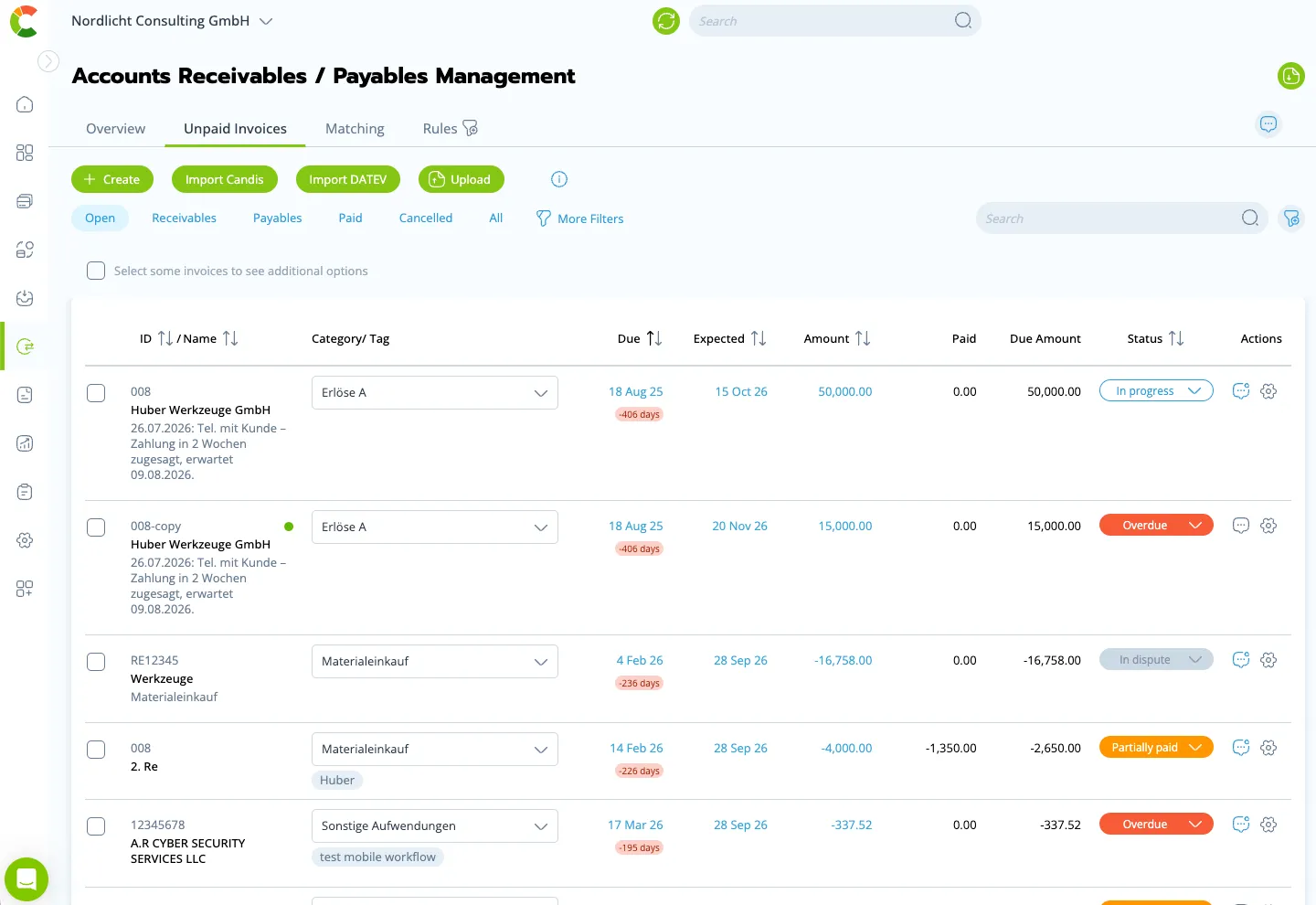
From every document COMMITLY takes the fields that matter for planning:
- Amount and currency, gross — the way the money actually arrives or leaves.
- Due date, the day payment would be required.
- Expected payment date, the day payment usually happens. You can override it per item.
- Counterparty, customer or supplier, so receivables can be grouped by payment behaviour.
- Document and invoice number, so every incoming payment can be matched without ambiguity.
- Status: open, partially paid, paid, overdue, disputed.
Journal entries, ledger accounts and tax keys are not transferred. They stay in BuchhaltungsButler, where they belong. COMMITLY plans the cash flow; it does not do the bookkeeping.
What happens next
Every open item gets an expected payment date — not necessarily the due date, but the day payment usually arrives. A customer who has been paying ten days late for years sits in the plan realistically instead of too early.
Payments from your bank accounts are matched against the open items automatically. Matching works on amount, reference and counterparty, and it recognises partial payments and bulk transfers that settle several invoices at once. Where the match is not unambiguous, COMMITLY proposes it and you approve — the AI suggests, you decide.
Whatever is matched leaves the open items and sits in the plan as an actual figure. Whatever stays open moves forward with its expected date. Overdue items are marked, so you can see where to follow up.
Why this changes the plan
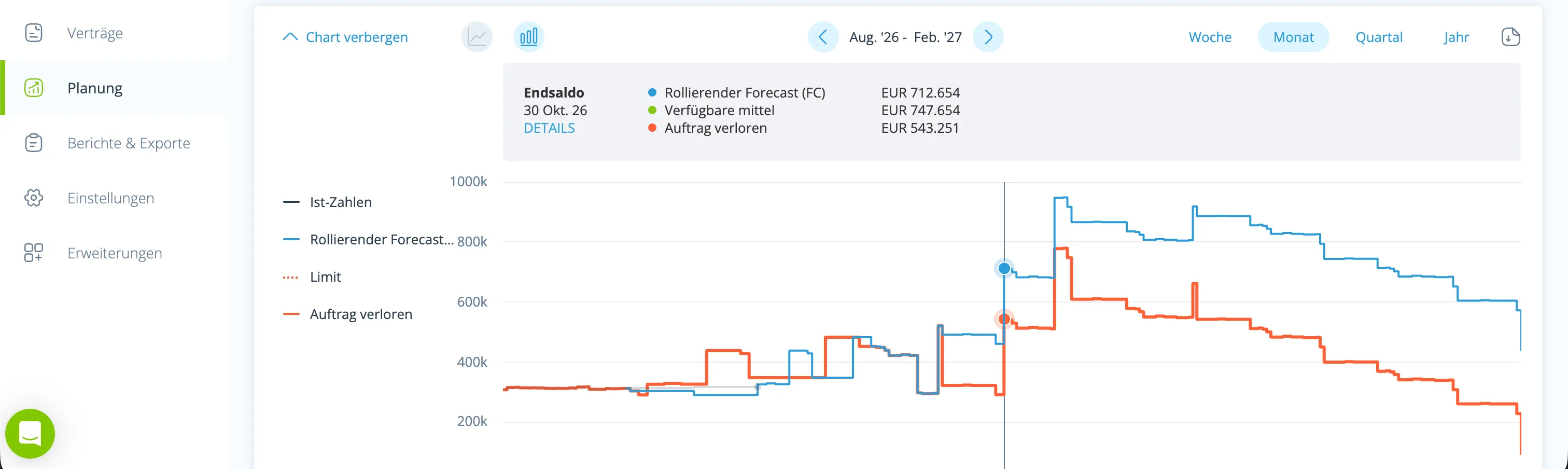
A cash flow plan without open items is an estimate. With them it becomes a calculation: you see which money arrives when and which liability leaves when — and therefore whether things get tight in eight weeks or not.
The difference shows up where it counts. An order that slips by four weeks moves its payment with it, and the receivable moves in the plan. A supplier who insists on payment up front changes the curve immediately. And because actual figures keep arriving from your bank accounts, the plan corrects itself instead of being redone by hand once a month.
That is the basis for everything that follows: scenarios built on solid ground, a rolling forecast that does not have to be rebuilt every week, and reports that hold up in front of a bank.
What you need for this
Access to BuchhaltungsButler that may read the data, and a COMMITLY account. You set the connection up once inside COMMITLY — no installation, no project, no consultant.
Realistically: bank accounts and bookkeeping are connected in minutes. Allow one to two hours for a first cash flow plan you can rely on, because you will go through the categories and the expected payment dates once. After that, around 15 minutes a week is enough.
COMMITLY is hosted in Germany and certified to ISO/IEC 27001:2022; a data processing agreement is available on request.
Who benefits most from this
Companies with a high document volume who automate their pre-accounting and still want to plan ahead. If you use BuchhaltungsButler, the document side is usually under control already — what is missing is the question of what those documents mean for the weeks ahead.
What BuchhaltungsButler itself offers for liquidity and which cash flow tools connect to it is compared on the page Cash flow planning with accounting software.
Frequently asked questions
The connection runs automatically; new and changed documents arrive continuously. You do not export and you do not upload.
You might also like

Upload the OPOS list — receivables and payables land in the cash flow plan.

Open items flow from Lexware Office into the plan automatically.

Open items flow from sevdesk into the plan automatically.
